


Introduction
In Business Process Model and Notation (BPMN), events are the heartbeat of any process diagram. They indicate when a process begins, what causes it to pause or change course, and how it concludes. For Agile teams, understanding the nuances of Start and End Events is critical because these elements define the triggers and outcomes that drive automation, user interactions, and system integrations.
While a simple “start” and “end” might suffice for basic flows, real-world business processes are rarely linear. They are triggered by emails, scheduled timers, error conditions, or signals from other systems. Similarly, they don’t just “stop”; they might send notifications, terminate parallel paths, or escalate errors. This guide explores the different types of Start and End events, why they matter for Agile workflows, and how Visual Paradigm’s AI-driven tooling can accelerate your modeling process.
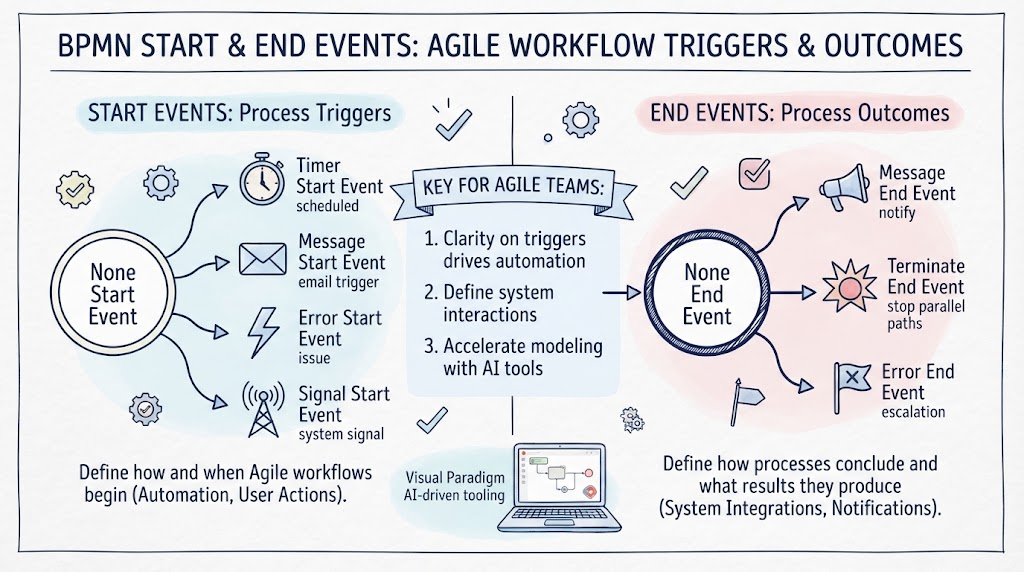
1. Start Events: The Trigger Mechanism
A Start Event indicates where a process begins. In BPMN, the type of start event defines what triggers the process. Choosing the right type ensures that your process model accurately reflects real-world behavior.
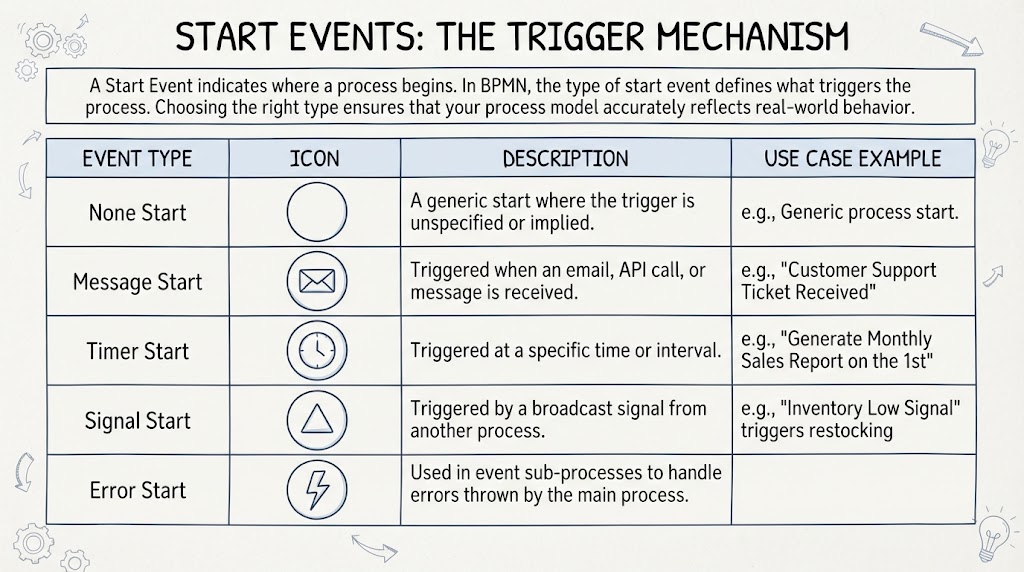
Common Start Event Types
| Event Type | Icon Description | Use Case Example |
|---|---|---|
| None Start | Thin single circle | A generic start where the trigger is unspecified or implied. |
| Message Start | Envelope icon | Triggered when an email, API call, or message is received (e.g., “Customer Support Ticket Received”). |
| Timer Start | Clock icon | Triggered at a specific time or interval (e.g., “Generate Monthly Sales Report on the 1st”). |
| Signal Start | Triangle icon | Triggered by a broadcast signal from another process (e.g., “Inventory Low Signal” triggers restocking). |
| Error Start | Lightning bolt | Used in event sub-processes to handle errors thrown by the main process. |
Why It’s Interesting for Agile Teams
Different triggers create different process behaviors. For example, a Message Start implies an external actor or system is initiating work, which may require SLA tracking. A Timer Start implies a batch job or recurring task, which may need monitoring for completion rather than initiation. Understanding these distinctions helps Agile teams define clear acceptance criteria for automated workflows.
2. End Events: The Outcome Definition
An End Event indicates where a process path concludes. Like start events, the type of end event clarifies what happens when the process finishes.
Common End Event Types
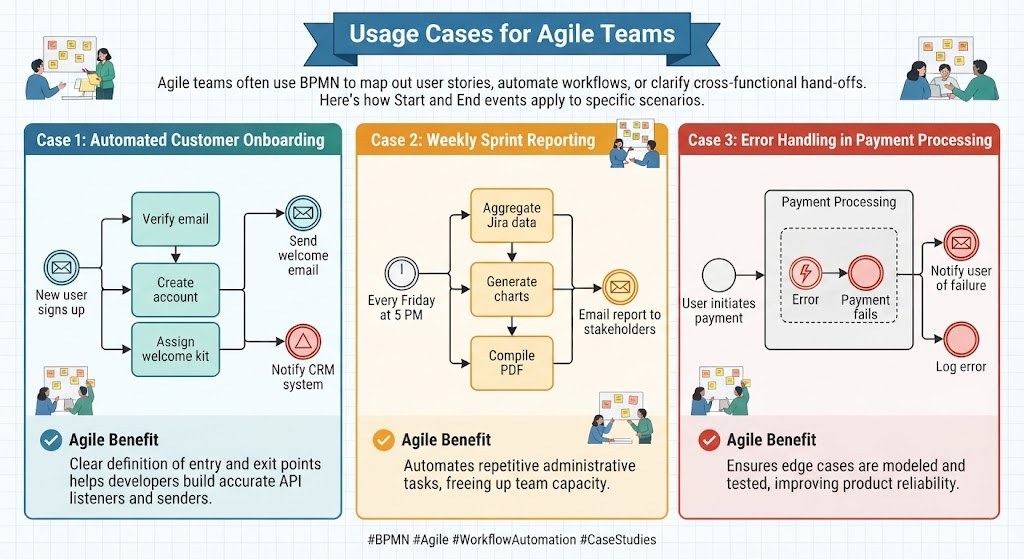
| Event Type | Icon Description | Use Case Example |
|---|---|---|
| None End | Thick single circle | A simple termination of the process flow. |
| Message End | Envelope icon | Sends a message upon completion (e.g., “Send Confirmation Email to Customer”). |
| Signal End | Triangle icon | Broadcasts a signal to other processes (e.g., “Order Fulfilled Signal” triggers shipping). |
| Error End | Lightning bolt | Indicates the process ended due to an error, triggering an error handler. |
| Terminate End | Double thick circle | Immediately stops all parallel paths in the process (used for critical failures or cancellations). |
Why It’s Interesting for Agile Teams
End events define the “hand-off” or final state. A Message End ensures stakeholders are notified, while a Signal End enables loose coupling between microservices or departments. For Agile teams building integrated systems, specifying the correct end event prevents gaps in communication between systems.
3. Usage Cases for Agile Teams
Agile teams often use BPMN to map out user stories, automate workflows, or clarify cross-functional hand-offs. Here’s how Start and End events apply:
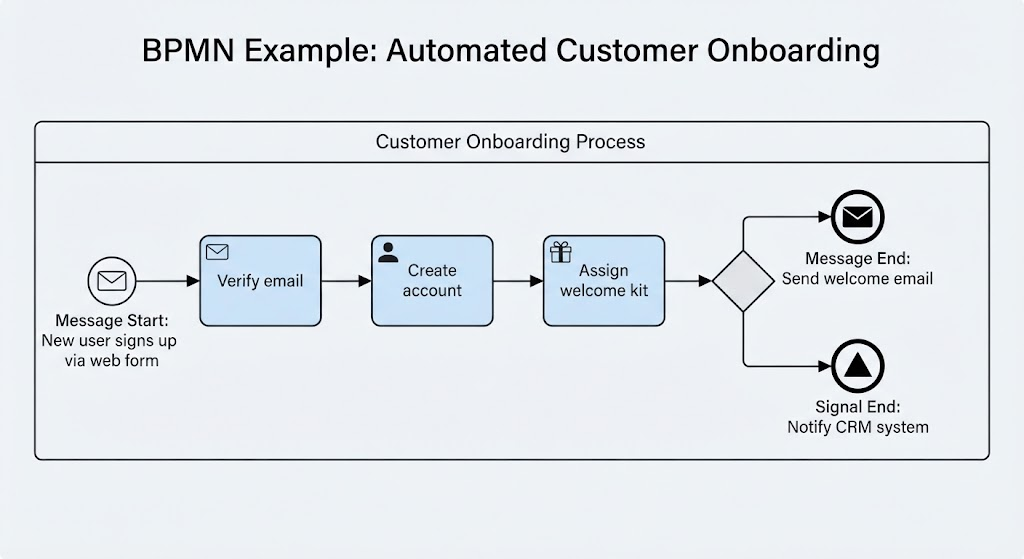
Case 1: Automated Customer Onboarding
-
Trigger: Message Start (New user signs up via web form).
-
Process: Verify email, create account, assign welcome kit.
-
Outcome: Message End (Send welcome email) + Signal End (Notify CRM system).
-
Agile Benefit: Clear definition of entry and exit points helps developers build accurate API listeners and senders.
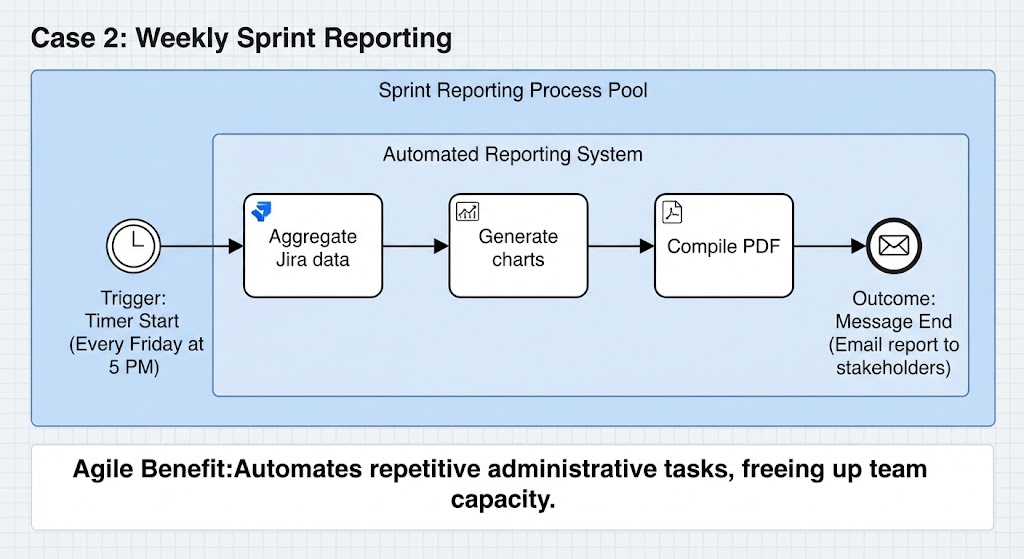
Case 2: Weekly Sprint Reporting
-
Trigger: Timer Start (Every Friday at 5 PM).
-
Process: Aggregate Jira data, generate charts, compile PDF.
-
Outcome: Message End (Email report to stakeholders).
-
Agile Benefit: Automates repetitive administrative tasks, freeing up team capacity.
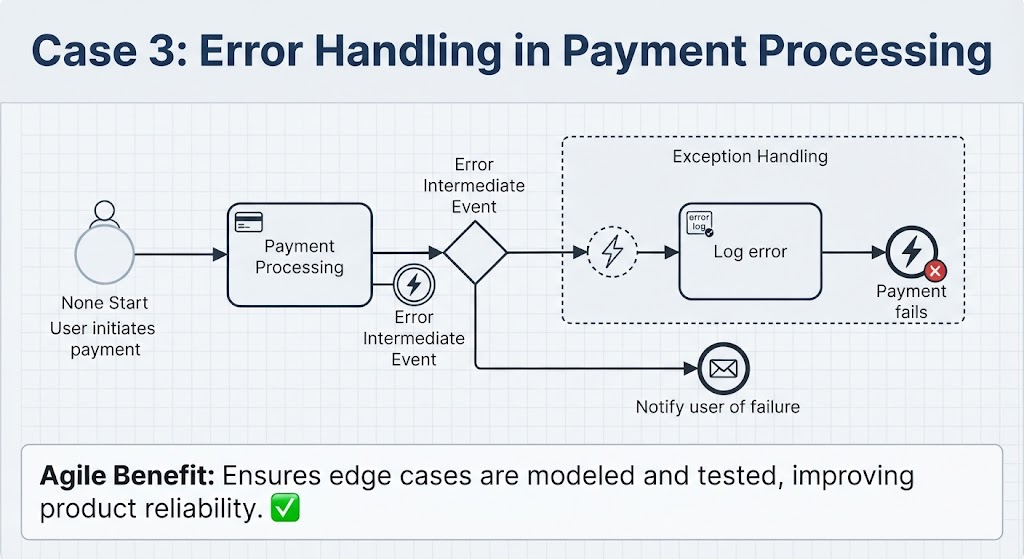
Case 3: Error Handling in Payment Processing
-
Trigger: None Start (User initiates payment).
-
Exception Path: If payment fails, an Error End is reached within an event sub-process.
-
Outcome: Message End (Notify user of failure) + Log error.
-
Agile Benefit: Ensures edge cases are modeled and tested, improving product reliability.
4. Visual Paradigm Tooling: Why It Helps
Visual Paradigm offers robust features for modeling BPMN diagrams, with a strong emphasis on AI-assisted generation and visual clarity.
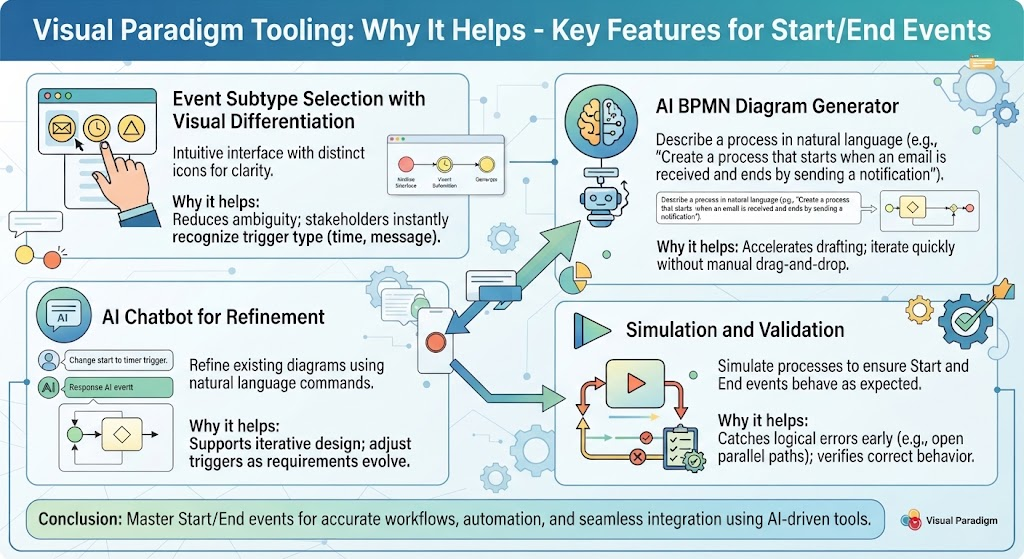
Key Features for Start/End Events
-
Event Subtype Selection with Visual Differentiation
-
Visual Paradigm provides an intuitive interface to select event types. Each event type has a distinct icon (envelope, clock, triangle), making diagrams easy to read and interpret.
-
Why it helps: Reduces ambiguity. Stakeholders can instantly recognize if a process is time-triggered or message-driven.
-
-
AI BPMN Diagram Generator
-
You can describe a process in natural language (e.g., “Create a process that starts when an email is received and ends by sending a notification”), and the AI will generate the diagram with the correct Start and End event types.
-
Why it helps: Accelerates initial drafting. Instead of manually dragging and dropping elements, you can iterate quickly using text prompts.
-
-
AI Chatbot for Refinement
-
Use the AI chatbot to refine existing diagrams. For example, ask, “Change the start event to a timer trigger,” and the tool will update the diagram accordingly.
-
Why it helps: Supports iterative design, a core Agile principle. You can adjust triggers and outcomes as requirements evolve without rebuilding the entire diagram.
-
-
Simulation and Validation
-
Visual Paradigm allows you to simulate processes to ensure that Start and End events behave as expected.
-
Why it helps: Catches logical errors early. For instance, it can verify that a Timer Start doesn’t accidentally leave parallel paths open without a proper Terminate End.
-
Conclusion
Start and End events are more than just decorative symbols in BPMN; they are critical definitions of how processes begin and conclude. For Agile teams, mastering these concepts ensures that workflows are accurately modeled, automated correctly, and integrated seamlessly with other systems.
By leveraging Visual Paradigm’s AI-driven tools, teams can rapidly prototype, refine, and validate their process models. Whether you’re triggering a process via email, scheduling it with a timer, or signaling completion to another system, choosing the right event type clarifies intent and reduces implementation errors. As Agile teams continue to bridge the gap between business requirements and technical execution, precise BPMN modeling becomes an indispensable skill.
Reference Resources: Visual Paradigm Tooling
- AI BPMN Diagram Generator: Professional BPD Tool: Explains how to generate BPMN diagrams from text using AI in the Visual Paradigm desktop application.
- Comprehensive Guide to BPMN, Visual Paradigm Tooling, AI, and Ecosystem: Covers BPMN fundamentals and the ecosystem, with practical AI-generated BPMN examples like employee onboarding.
- How to Create BPMN Business Process Diagrams in Visual Paradigm: A step-by-step tutorial on drawing BPMN diagrams manually, including creating pools, lanes, tasks, gateways, and using simulation features.
- BPMN Tutorial: Visual Paradigm Tooling, AI Chatbot & Ecosystem: Details the AI Chatbot capabilities for generating and refining diagrams via conversational commands.
- AI Business Process Diagram Generator Update: Highlights the AI BPMN generator’s ability to produce complex, multi-pool diagrams from simple text prompts.
- Mastering Business Process Modeling: A Complete Guide to BPMN and AI: A comprehensive guide on BPMN basics and using the AI generator to create diagrams from natural language descriptions.
- Creating Your First BPMN Diagram in Visual Paradigm: A beginner-friendly tutorial covering essential BPMN concepts like events, gateways, and swimlanes, with practical tips.
- BPMN 2.0 Business Process Modeling Beginner’s Guide: Offers a step-by-step guide for beginners, including AI prompt strategies for effective BPMN generation.
- How to Draw BPMN Diagram?: A visual tutorial on using Visual Paradigm’s resource catalog to efficiently draw BPMN diagrams and add gateways and events.
- Mastering BPMN: A Comprehensive Tutorial with Visual Paradigm, AI Chatbot, and Ecosystem: Discusses how the AI chatbot enables rapid, iterative BPMN modeling through plain language commands.