


Introduction
Business Process Model and Notation (BPMN) is the global standard for modeling business processes. However, one of the most common sources of confusion for practitioners is understanding the different types of processes and how they interact. Is your process internal? Does it need to communicate with external partners? Are you defining a contract between multiple organizations?
Understanding the distinction between Private, Public, Collaborative, and Choreographic processes is essential for creating accurate, executable, and communicative models. This guide breaks down these four critical BPMN concepts, providing clear definitions, key concepts, practical examples, and insights into using Visual Paradigm as your modeling tool.
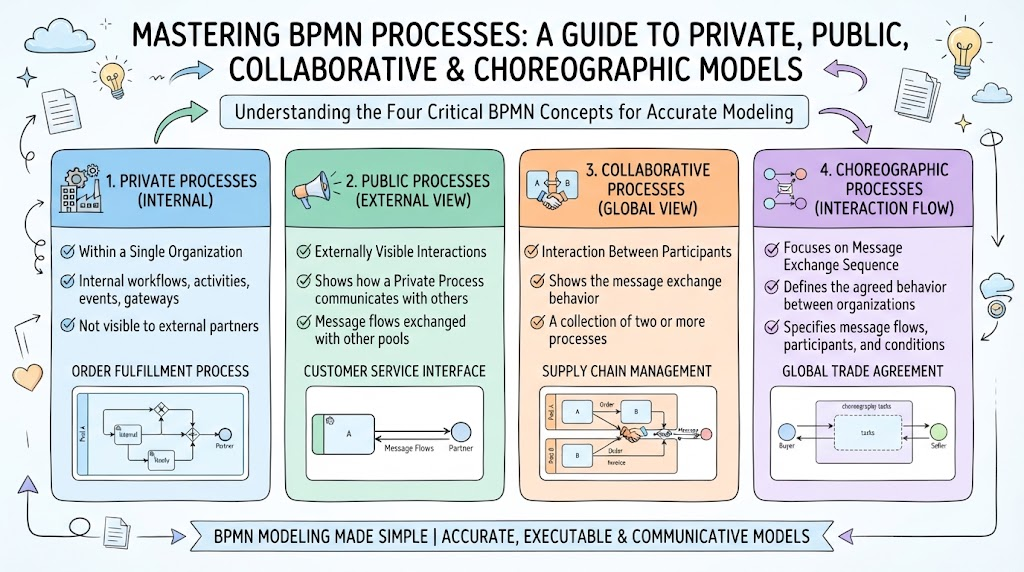
1. Private Process: The Internal Engine
A Private Business Process (also known as an Orchestration) represents the internal workflow of a single organization or participant. It details how work gets done within that entity.
Key Concepts
-
Contained within a Single Pool: All activities happen inside one organizational boundary.
-
Internal Detail: Shows the full sequence of tasks, gateways, and events required to complete a business goal.
-
Executable vs. Non-Executable:
-
Executable: Modeled with enough detail (data objects, formal expressions, service tasks) to be run by a BPMN engine.
-
Non-Executable: Modeled for documentation and communication purposes only; lacks technical execution details.
-
-
Message Activities: Within a private process, interactions with the outside world are represented specifically as “Send Message” and “Receive Message” tasks.
When to Use
Use a Private Process when you need to document or automate the internal steps of a department or company, such as an employee onboarding workflow or an internal approval chain.
Visual Representation

Example: Order Fulfillment (Internal View)
Imagine a warehouse’s internal process:
-
Receive Order (Message Event)
-
Check Inventory (Task)
-
Pick Items (Task)
-
Pack Items (Task)
-
Ship Order (Send Message Task)
The internal checks, packing standards, and inventory logic are all visible here because they are part of the private process.
2. Public Process: The External Interface
A Public Business Process is an abstract view of a Private Process. It hides all internal complexities and shows only the interactions with external participants. Think of it as the “API” of your business process.
Key Concepts
-
Abstract View: Also called “abstract” in BPMN 1.2.
-
Message Flows Only: Only activities that involve sending or receiving messages to/from other participants are shown.
-
No Internal Logic: Internal tasks, gateways, and data manipulations are hidden.
-
Orchestrated by Private Process: The public process is essentially a projection of the private process’s external interactions.
When to Use
Use a Public Process when you need to share your process behavior with partners, customers, or regulators without revealing proprietary internal methods or sensitive operational details.
Visual Representation
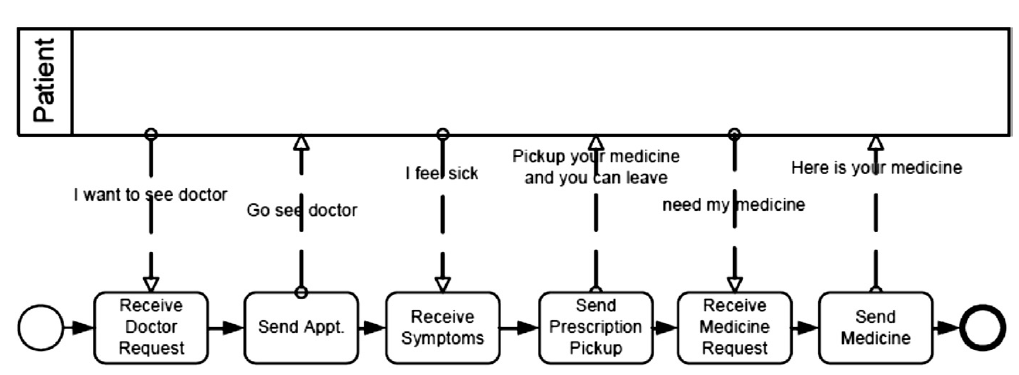
Example: Order Fulfillment (External View)
From the customer’s perspective, they don’t care about how you pick or pack items. They only see:
-
Send Order (Message Flow from Customer)
-
Receive Confirmation (Message Flow to Customer)
-
Receive Shipping Notification (Message Flow to Customer)
All internal warehouse activities are invisible in this public model.
3. Collaborative Process: The Multi-Party Interaction
A Collaboration depicts the interactions between two or more business entities. It is the most common way to show end-to-end business scenarios involving multiple participants.
Key Concepts
-
Multiple Pools: Each participant (organization, department, or system) is represented by its own Pool.
-
Message Flows: Dashed lines connect objects across pool boundaries, representing the exchange of information.
-
Separate Private Processes: Each pool contains its own Private Process. The Collaboration shows how these private processes interact.
-
No Control Flow Across Pools: Sequence flows (solid lines) never cross pool boundaries; only message flows do.
When to Use
Use a Collaboration when you need to model a business scenario that spans multiple organizations, such as a supply chain, a loan application involving a bank and a credit bureau, or a customer service interaction.
Visual Representation
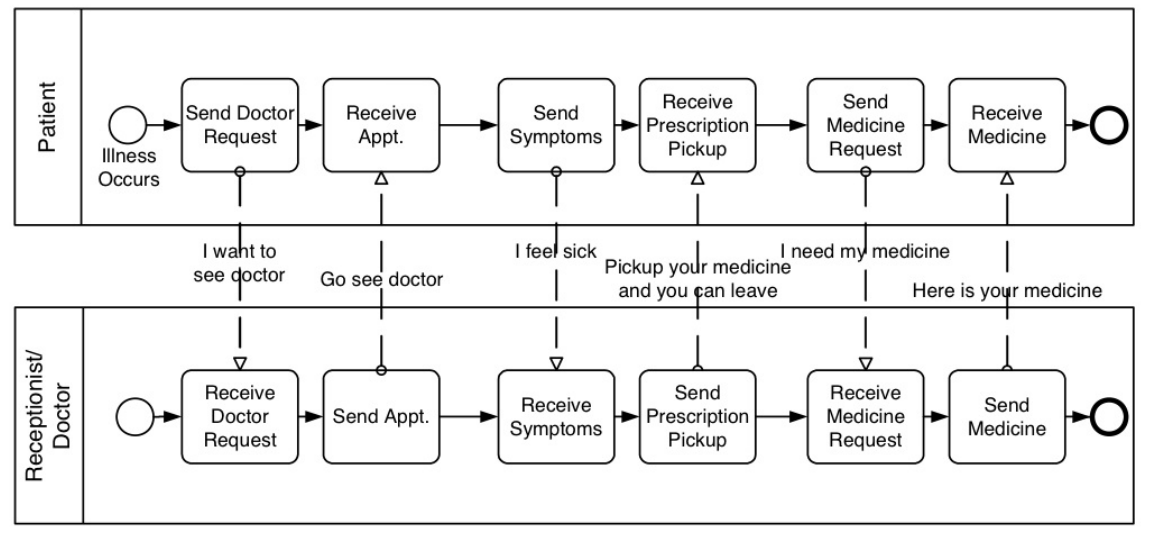
Example: E-Commerce Transaction
-
Customer Pool: Places order, receives confirmation.
-
Retailer Pool: Receives order, processes payment, ships item.
-
Payment Gateway Pool: Authorizes payment, sends result.
The Collaboration diagram shows the message flows between these three pools, illustrating the end-to-end transaction.
4. Choreography: The Contractual Dance
A Choreography defines the expected behavior and interaction rules between participants without assigning responsibilities to any single party. It is a procedural contract.
Key Concepts
-
Between Pools, Not Within: Unlike private processes, choreographies exist between participants.
-
No Pools or Orchestration: A self-contained choreography does not use pools. Instead, it uses “Choreography Tasks” where each participant’s role is indicated by bands within the task shape.
-
Neutral Perspective: It describes what happens in the interaction, not how each party implements it internally.
-
Contractual Nature: Useful for defining standards or agreements that multiple parties must adhere to.
When to Use
Use a Choreography when defining industry standards, regulatory compliance interactions, or complex multi-party agreements where no single party controls the entire process.
Visual Representation
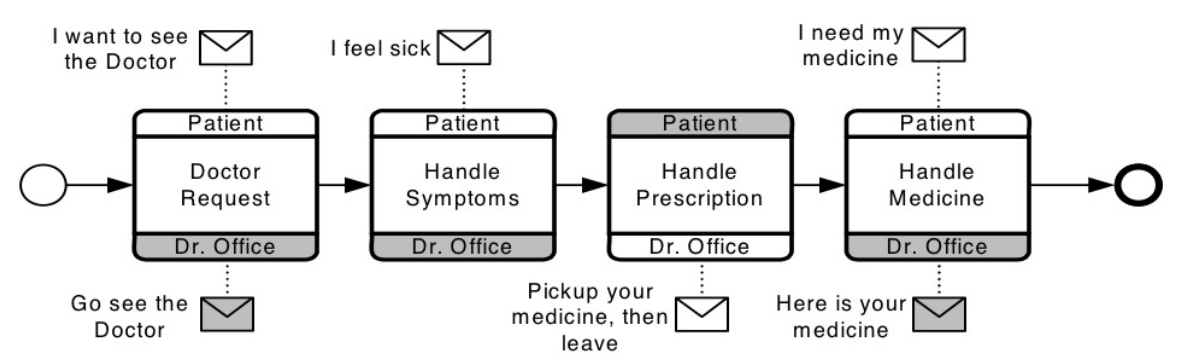
Example: Insurance Claim Standard
An industry-standard choreography for insurance claims might define:
-
Customer submits claim.
-
Insurer acknowledges receipt.
-
Third-party assessor provides evaluation.
-
Insurer makes decision.
-
Customer receives outcome.
This choreography ensures all parties know the expected sequence of interactions, regardless of their internal systems.
Tooling: Using Visual Paradigm for BPMN Modeling
Visual Paradigm provides robust support for all four process types, making it easier to create, manage, and transform your BPMN models.
Key Features for BPMN in Visual Paradigm:

-
Drag-and-Drop Interface: Easily create Pools, Lanes, Tasks, Gateways, and Events.
-
Process Type Switching: Convert between Private, Public, and Collaborative views seamlessly.
-
Choreography Support: Dedicated shapes and tools for modeling choreographies with participant bands.
-
Validation: Ensure your models comply with BPMN 2.0 specifications.
-
Execution Ready: For executable private processes, Visual Paradigm can generate code or integrate with BPM engines.
-
Documentation Generation: Automatically generate detailed documentation from your models, including both internal and external views.
Best Practices with Visual Paradigm:
-
Start with Collaboration: Map out the high-level interactions between participants first.
-
Drill Down into Private Processes: For each pool, create a detailed private process.
-
Generate Public Views: Use Visual Paradigm’s features to abstract private processes into public views for external sharing.
-
Define Choreographies for Standards: If you’re working on industry-wide processes, use choreography diagrams to define the contractual interactions.
Conclusion
Understanding the distinctions between Private, Public, Collaborative, and Choreographic processes is fundamental to effective BPMN modeling.
-
Private Processes handle the internal “how.”
-
Public Processes expose the external “what” for interaction.
-
Collaborations show the multi-party “who” and “when.”
-
Choreographies define the neutral “contract” of interaction.
By leveraging these different perspectives, you can create models that are not only accurate and executable but also clear and communicative to all stakeholders. Tools like Visual Paradigm empower you to manage these complexities, ensuring your business processes are well-documented, efficient, and aligned with organizational goals.
Whether you are automating internal workflows, integrating with partners, or defining industry standards, mastering these BPMN process types will elevate your business process management capabilities.
BPMN Tool Resources
-
AI BPMN Diagram Generator: Professional BPD Tool: Explains how to generate BPMN diagrams from text using AI in the Visual Paradigm desktop application .
-
Comprehensive Guide to BPMN, Visual Paradigm Tooling, AI, and Ecosystem: Covers BPMN fundamentals and the ecosystem, with practical AI-generated BPMN examples like employee onboarding .
-
How to Create BPMN Business Process Diagrams in Visual Paradigm: A step-by-step tutorial on drawing BPMN diagrams manually, including creating pools, lanes, tasks, gateways, and using simulation features .
-
BPMN Tutorial: Visual Paradigm Tooling, AI Chatbot & Ecosystem: Details the AI Chatbot capabilities for generating and refining diagrams via conversational commands .
-
AI Business Process Diagram Generator Update: Highlights the AI BPMN generator’s ability to produce complex, multi-pool diagrams from simple text prompts .
-
Mastering Business Process Modeling: A Complete Guide to BPMN and AI: A comprehensive guide on BPMN basics and using the AI generator to create diagrams from natural language descriptions .
-
Creating Your First BPMN Diagram in Visual Paradigm: A beginner-friendly tutorial covering essential BPMN concepts like events, gateways, and swimlanes, with practical tips .
-
BPMN 2.0 Business Process Modeling Beginner’s Guide: Offers a step-by-step guide for beginners, including AI prompt strategies for effective BPMN generation .
-
How to Draw BPMN Diagram?: A visual tutorial on using Visual Paradigm’s resource catalog to efficiently draw BPMN diagrams and add gateways and events .
-
Mastering BPMN: A Comprehensive Tutorial with Visual Paradigm, AI Chatbot, and Ecosystem: Discusses how the AI chatbot enables rapid, iterative BPMN modeling through plain language commands .
Related posts:
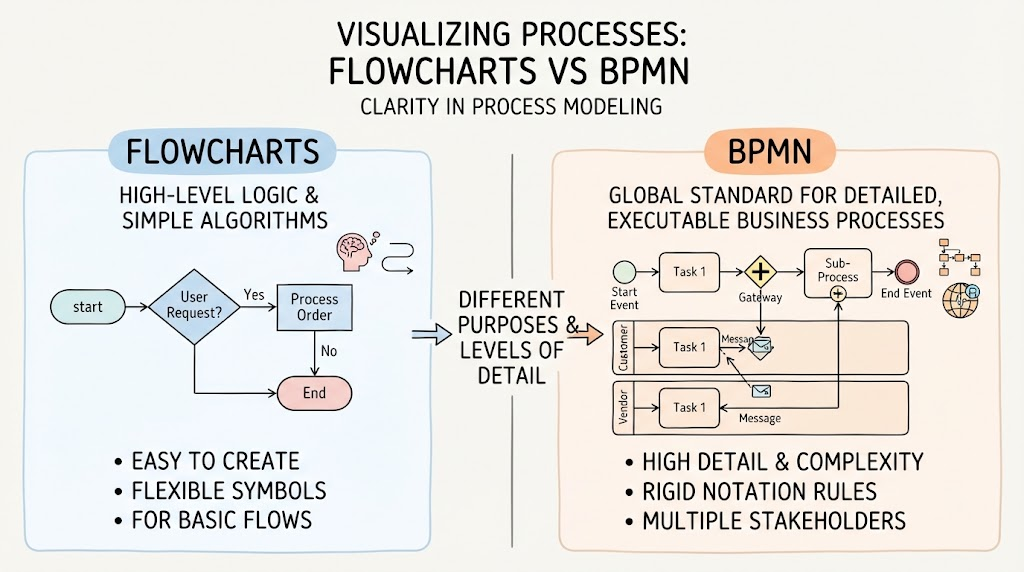 BPMN vs. Flowcharts: Understanding the Key Differences and When to Use Each
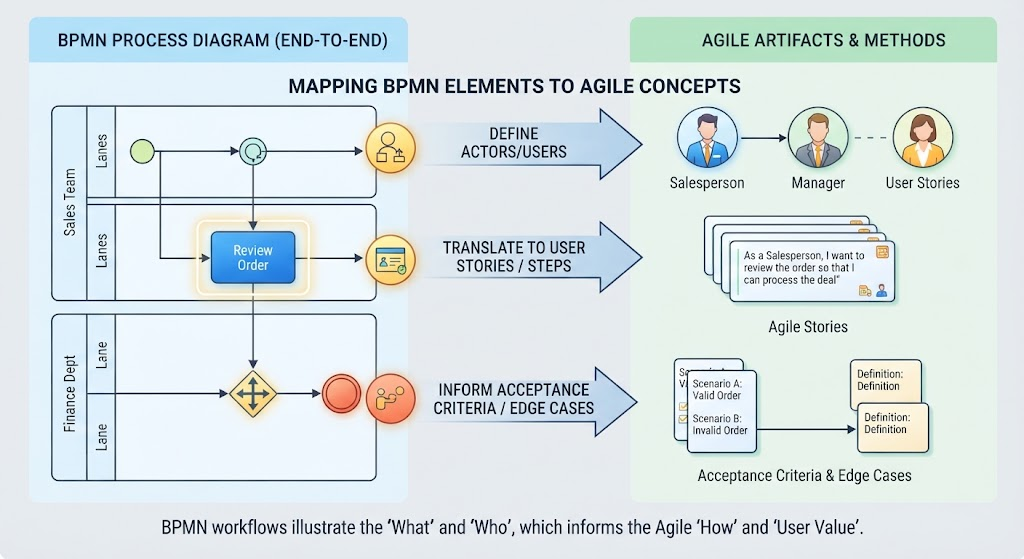 From Process to Product: Translating BPMN Diagrams into Agile User Stories
 Taming Spaghetti Diagrams: AI-Assisted Refactoring for Cleaner BPMN Architecture
Mastering BPMN Intermediate Events: A Practical Guide Using Visual Paradigm
Taming Spaghetti Diagrams: AI-Assisted Refactoring for Cleaner BPMN Architecture
Mastering BPMN Intermediate Events: A Practical Guide Using Visual Paradigm