Introduction
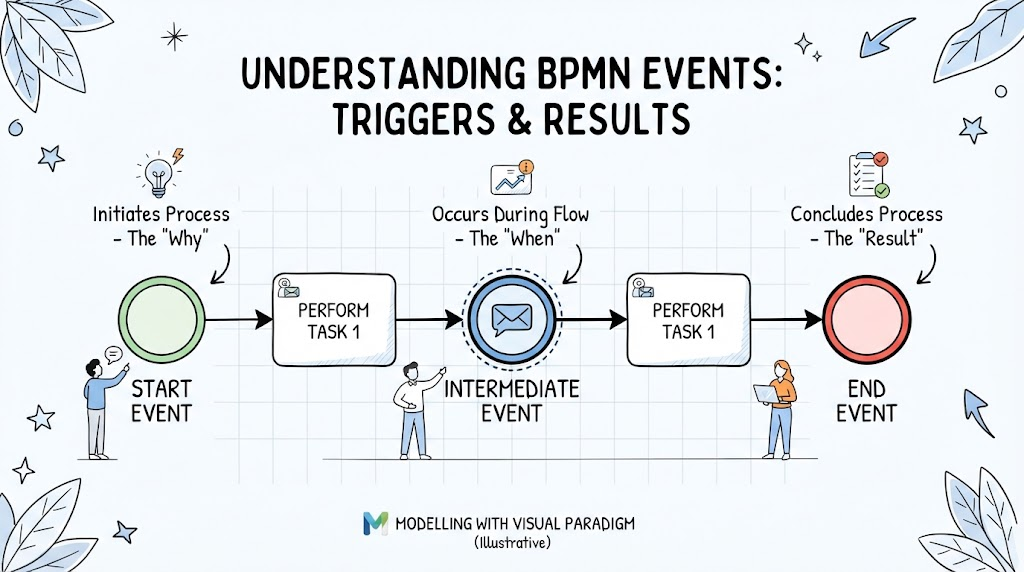
Business Process Model and Notation (BPMN) is the industry-standard graphical notation for modeling business processes. At the heart of every BPMN diagram lies the Start Event — the gateway that initiates a process flow. Understanding start events is fundamental to creating accurate, executable, and meaningful process models. Whether you’re mapping out an order fulfillment workflow, designing an approval pipeline, or orchestrating microservices, knowing when and how a process begins determines the reliability and clarity of your entire model.
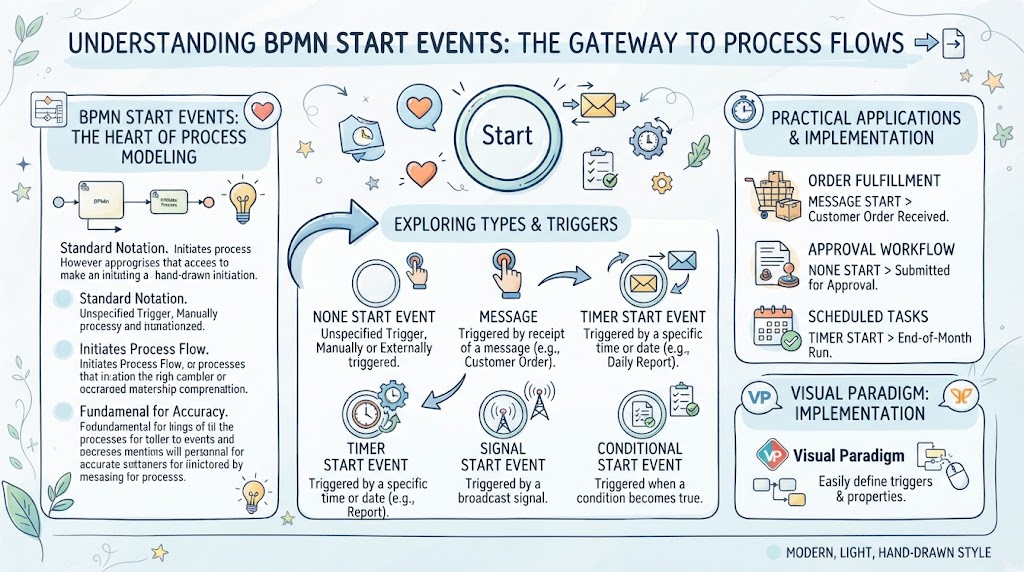
This guide explores the different types of BPMN start events, their triggers, practical applications, and how to implement them effectively using Visual Paradigm.
Key Concepts
1. What Is a Start Event?
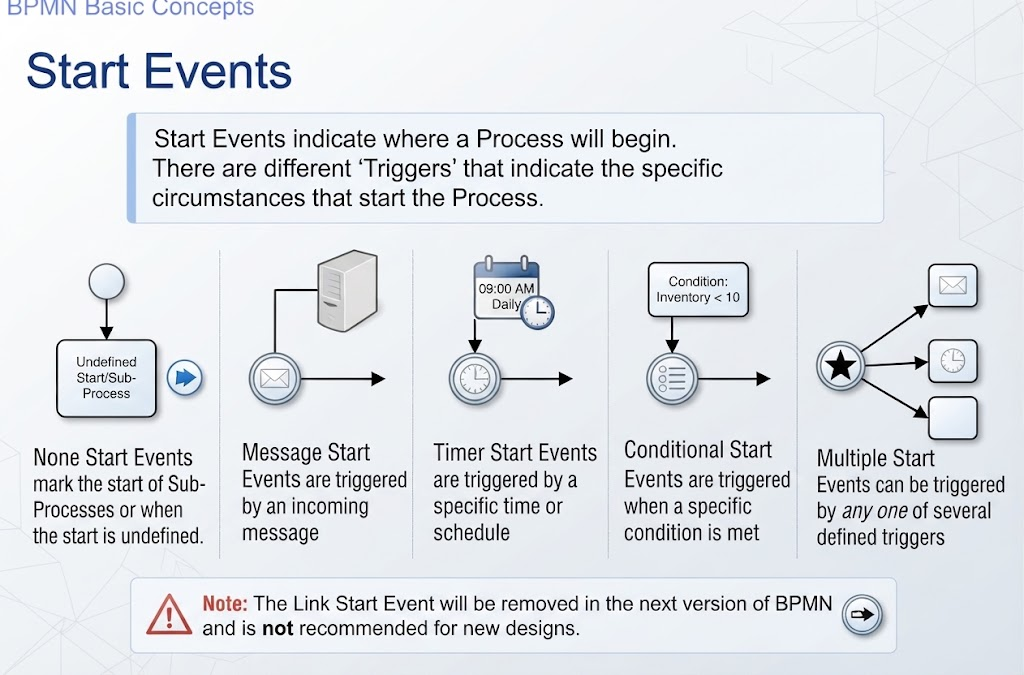
A Start Event marks the point at which a process instance is created and begins execution. It is always represented as a thin-bordered circle and sits at the beginning of a process flow. Every BPMN process must have at least one start event.
2. Triggers
Start events are differentiated by their triggers — the specific circumstances or conditions that cause the process to begin. The trigger defines why and how the process starts.
3. None Start Event
-
Symbol: Empty thin-bordered circle
-
Purpose: Marks the start of a Sub-Process or indicates that the start condition is undefined/generic
-
Use Case: When a sub-process is called from another process, or when the initiating condition doesn’t require a specific external trigger
4. Message Start Event
-
Symbol: Circle with an envelope icon
-
Purpose: Starts a process when a message is received from an external participant or system
-
Use Case: An order processing system that begins when a customer submits an order via email or API
5. Timer Start Event
-
Symbol: Circle with a clock icon
-
Purpose: Starts a process at a specific time, on a recurring schedule, or after a defined duration
-
Use Case: A monthly report generation process that runs automatically on the 1st of every month
6. Rule Start Event
-
Symbol: Circle with a list/tablet icon
-
Purpose: Starts a process when a business rule condition is met
-
Use Case: A fraud detection process that triggers automatically when transaction patterns match predefined risk rules
7. Link Start Event ⚠️ (Deprecated)
-
Symbol: Circle with a right-pointing arrow
-
Purpose: Connects two separate parts of the same process diagram
-
Note: This event type is removed in BPMN 2.0+. Use Link Intermediate Events or Call Activities instead
8. Multiple Start Event
-
Symbol: Circle with a star/asterisk icon
-
Purpose: Allows a process to be started by any one of multiple trigger types
-
Use Case: A customer onboarding process that can be initiated either by a message (application received), a timer (scheduled batch), or a rule (eligibility check passed)
Examples & Practical Applications
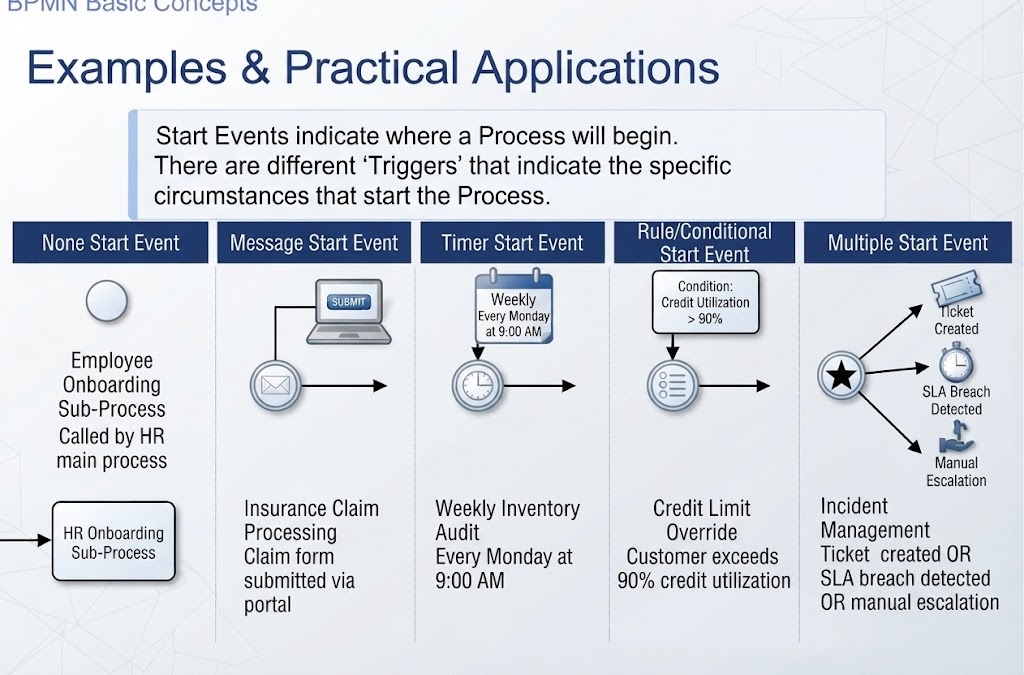
| Start Event Type | Real-World Scenario | Trigger Condition |
|---|---|---|
| None | Employee Onboarding Sub-Process | Called by HR main process |
| Message | Insurance Claim Processing | Claim form submitted via portal |
| Timer | Weekly Inventory Audit | Every Monday at 9:00 AM |
| Rule | Credit Limit Override | Customer exceeds 90% credit utilization |
| Multiple | Incident Management | Ticket created OR SLA breach detected OR manual escalation |
Tooling: Visual Paradigm
Visual Paradigm is a powerful BPMN modeling tool that supports all standard start event types. Here’s how to work with them:
Getting Started
-
Open Visual Paradigm and create a new BPMN Diagram
-
From the Palette, drag a Start Event onto the canvas
-
Right-click the event → Change Event Type to select the desired trigger
Best Practices in Visual Paradigm
-
✅ Use None Start Events exclusively for Sub-Processes
-
✅ Label each start event clearly with its trigger description
-
✅ Avoid deprecated Link Start Events; use Link Intermediate Events instead
-
✅ For Multiple Start Events, document each possible trigger in the event’s properties panel
-
✅ Validate your diagram using Visual Paradigm’s built-in BPMN Conformance Checker
Conclusion
Start events are the foundation of any well-structured BPMN diagram. Choosing the correct start event type ensures that your process model accurately reflects real-world business logic and can be reliably executed. As BPMN continues to evolve, staying current with specification changes — such as the deprecation of Link Start Events — is essential for maintaining compliant and future-proof models. Tools like Visual Paradigm streamline this process, offering intuitive interfaces, validation capabilities, and export options that bridge the gap between design and implementation. Mastering start events empowers analysts, developers, and business stakeholders to build processes that are clear, efficient, and aligned with organizational goals.